

EG gives you the power to cross-sell related items when a customer adds a particular product or collection item to the cart. You can target specific products to be offered with any cart addition with the fully customisable EG pop-up. Your customers can then add more products to the cart with just one click.
Follow these steps to create your own cross-selling campaign using EG:
Step 1: Create a new EG rule
Open the EG app from the Shopify admin page.
Create a new rule and name it appropriately.
Set the rule trigger you want to use.
Step 2: Configure the products you want to upsell in the rule action
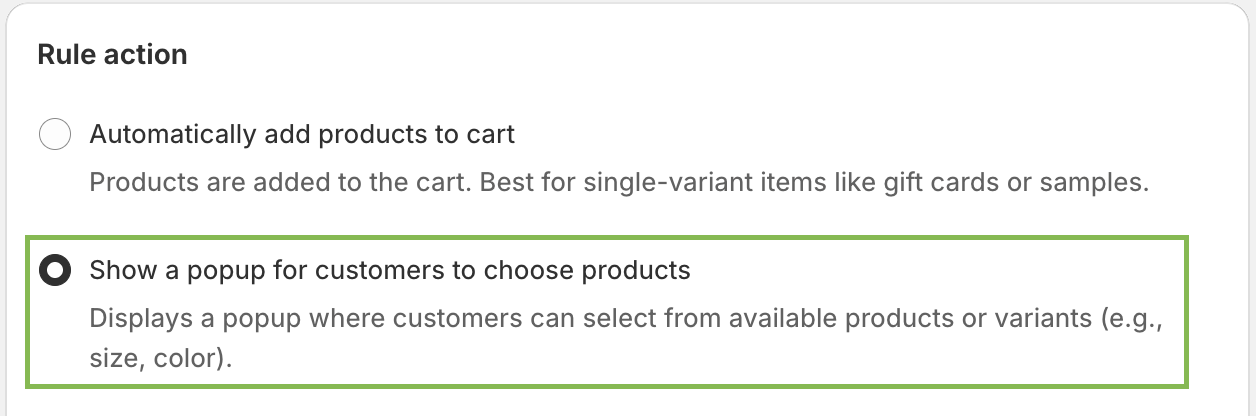
In the rule action section, select 'Show a popup for customers to choose products'.
Select the products you want to offer to the customer when the rule is triggered.

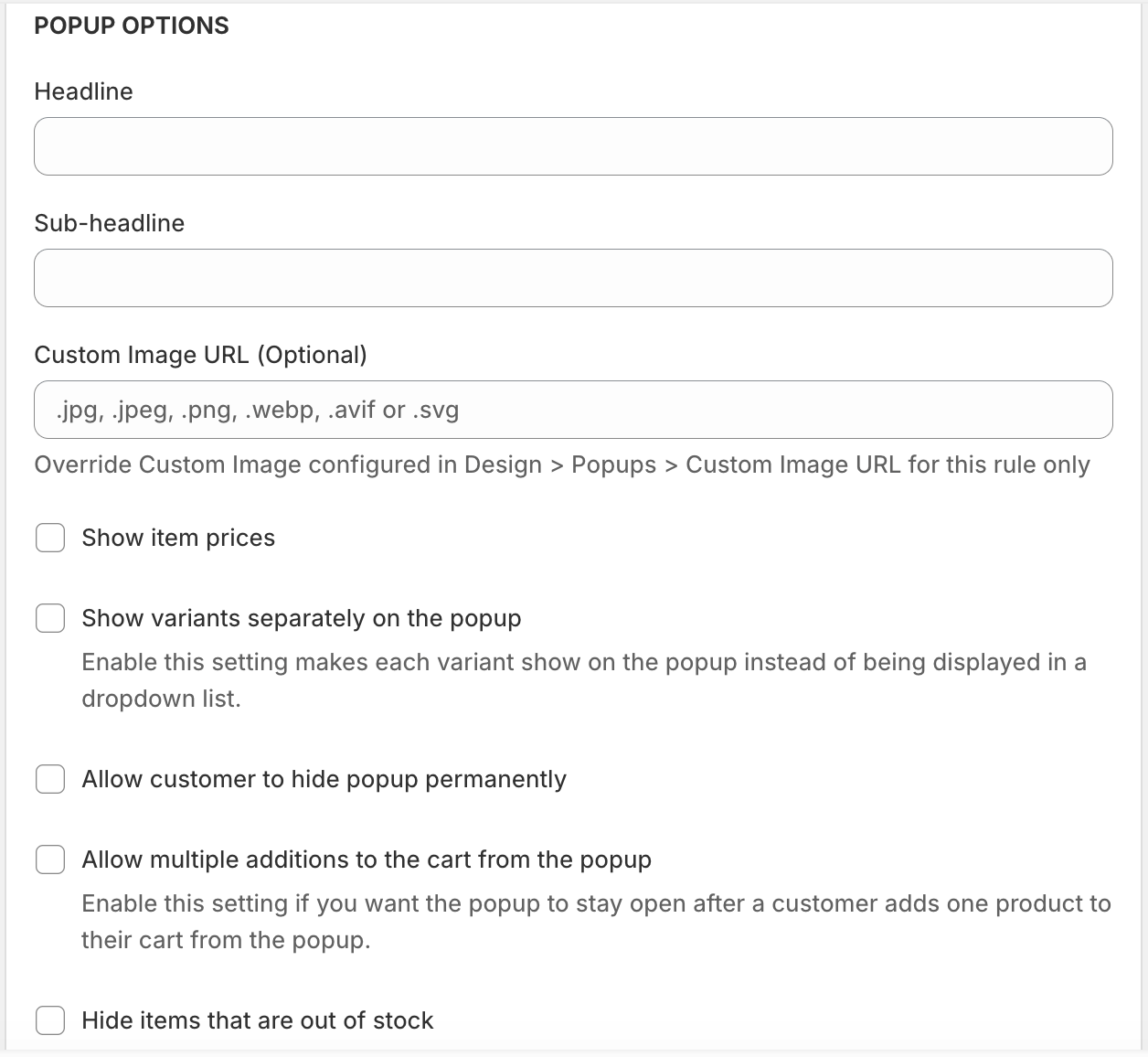
Configure the contents of the popup shown to the customer. Write an engaging headline and sub-headline to tempt your customer to buy more.
You can show or hide the prices of the offered products.
Step 3: Apply additional settings for the rule
Apply other settings for the rule, such as tie schedules, magic links, etc.
Save the rule.